Find and share event photos faster with facial recognition
The annual company team event is over. The organization shares a link to the photo gallery and invites people to find and share their photos on social media. This can show the company culture and support its employer brand.
But finding your photos in a large gallery can take a long time. Facial recognition for photo galleries can make this process much faster.
800 photos, 500 people and 28 working days
Imagine a company event with 500 people and a gallery containing 800 photos.
If a person spends only two seconds checking each photo, it takes almost 27 minutes to review the full gallery. If all 500 people do this, they spend more than 222 hours in total.
That is almost 28 full eight-hour working days.
In real life, it may take even longer. The gallery needs to load, and some photos must be opened or enlarged. Some people may stop searching before they find their photos.
As a result, event photos may never be found or shared, even when sharing is one of the main goals of the photography.
Help every person find the right photos
A photo gallery becomes useful when people can quickly find the images that matter to them.
Facial recognition can automate one part of this process. It can help a person find photos in which they may appear.
But the main question is not only whether the technology can recognize someone. It is also important to know who enables the feature and who controls how it is used.
How facial recognition works in MyFaceGuard
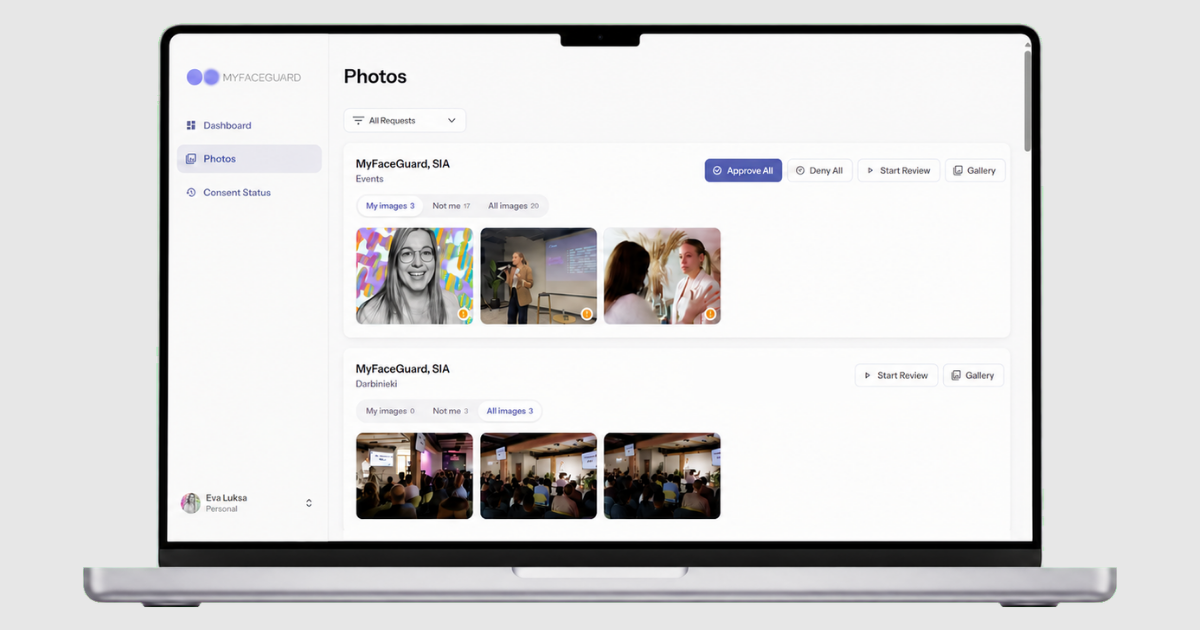
The MyFaceGuard process starts with the person's choice.
A person can choose to save a facial biometric sample. From that moment, MyFaceGuard can automatically find possible matches in future photo albums shared with that person.
The person reviews the suggested photos and decides whether the organization may use them.
A separate setting controls whether a specific organization can see that the person has been recognized in its photos. For example, a person may allow their employer to use this feature but keep it disabled for their sports club.
This setting can be changed at any time. The person can also delete or update their biometric sample for future photo searches.
Automation makes photos easier to find, but the final decision remains with the person.
Biometric data: a choice, not a requirement
Facial recognition uses biometric data, and under the GDPR it is a special category of personal data when used to uniquely identify a person. The European Data Protection Board explains that organizations must identify the correct legal basis, assess the risks and apply suitable safeguards.
MyFaceGuard facial recognition is an optional feature. People decide whether they want to use it and can change their choice in the platform settings.
If an employee or event participant does not want to use biometric matching, they can still review the photo album manually, confirm themselves in photos and decide how those photos may be used.
Efficiency with human control
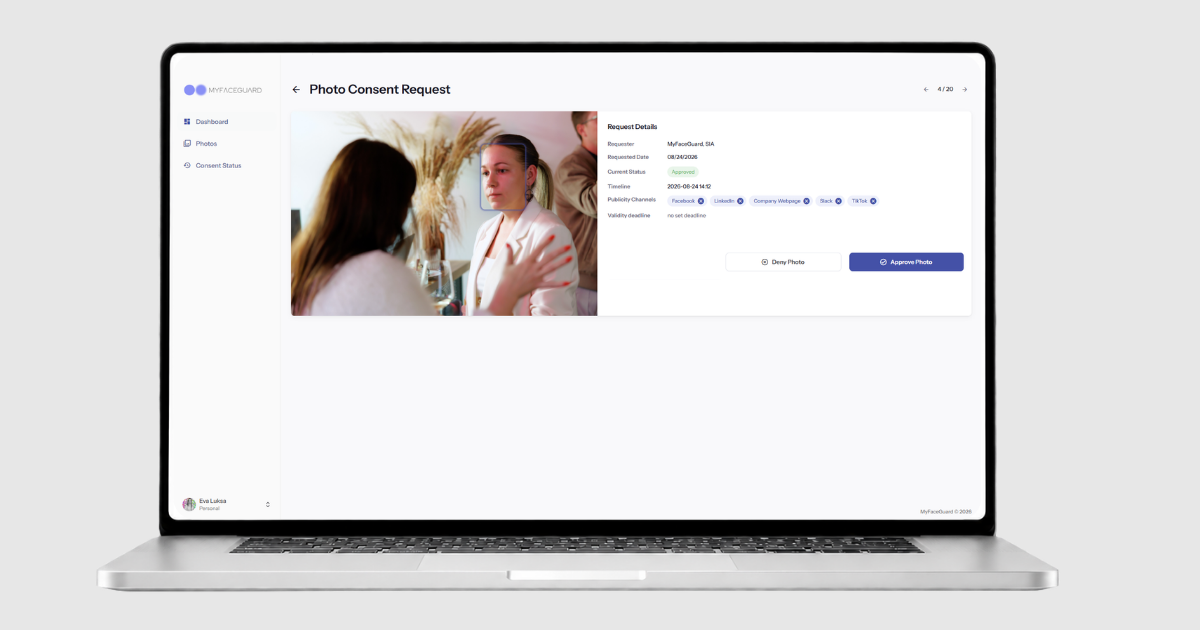
MyFaceGuard brings several tasks into one process. It helps event participants find their photos faster and helps organizations manage photo usage permissions.
A person can later change or withdraw a decision. The organization has a clear history of these changes and can check the current status before using a photo.
This replaces a fragmented process where information may be stored across emails, WhatsApp messages and paper forms - or may not be documented clearly at all.
Would you like to see how this could work in your organization? Book a MyFaceGuard demo.